T: Dealer Inquiry
Thank you so much for purchasing our T: Dealer Inquiry App. This documentation will guide you through the setup and configuration process.
App Features & Pricing
- Pricing: $2.00 USD billed every month with a 3-day free trial.
- Using T: Dealer Inquiry App any customer can become a dealer by sending a dealership request.
- Having a large number of dealers can significantly boost your selling potential.
- You have the ability to access dealer information and provide a response based on their specific request.
- You can customize the dealer request form and design as per your requirements.
- Customizable email template with SMTP support to avoid spam filters.
- Google reCAPTCHA is available to enhance security for the dealer inquiry form.
- Advanced search filtering and easy export of dealer information are available.
- Dealers and admins can engage in effective collaboration by communicating through email.
Installation
Follow these steps to activate the app on your Shopify store:
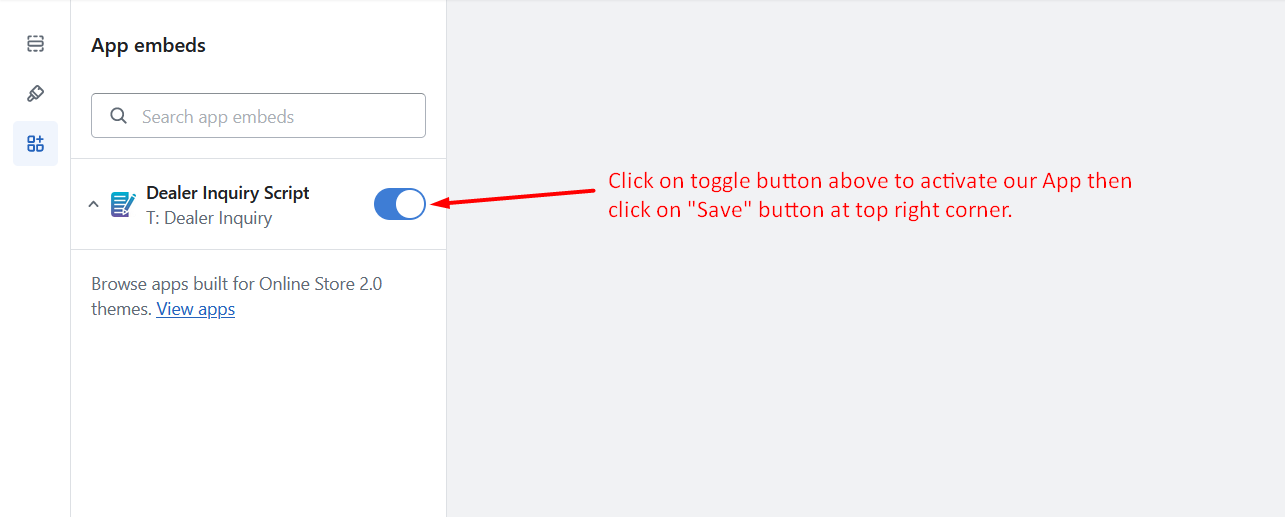
- Go to Online Stores >> Current theme >> Theme Customize section.
- Enable App embed(s) i.e. "Dealer Inquiry Script".
- Click on the "Save" button at top right corner!
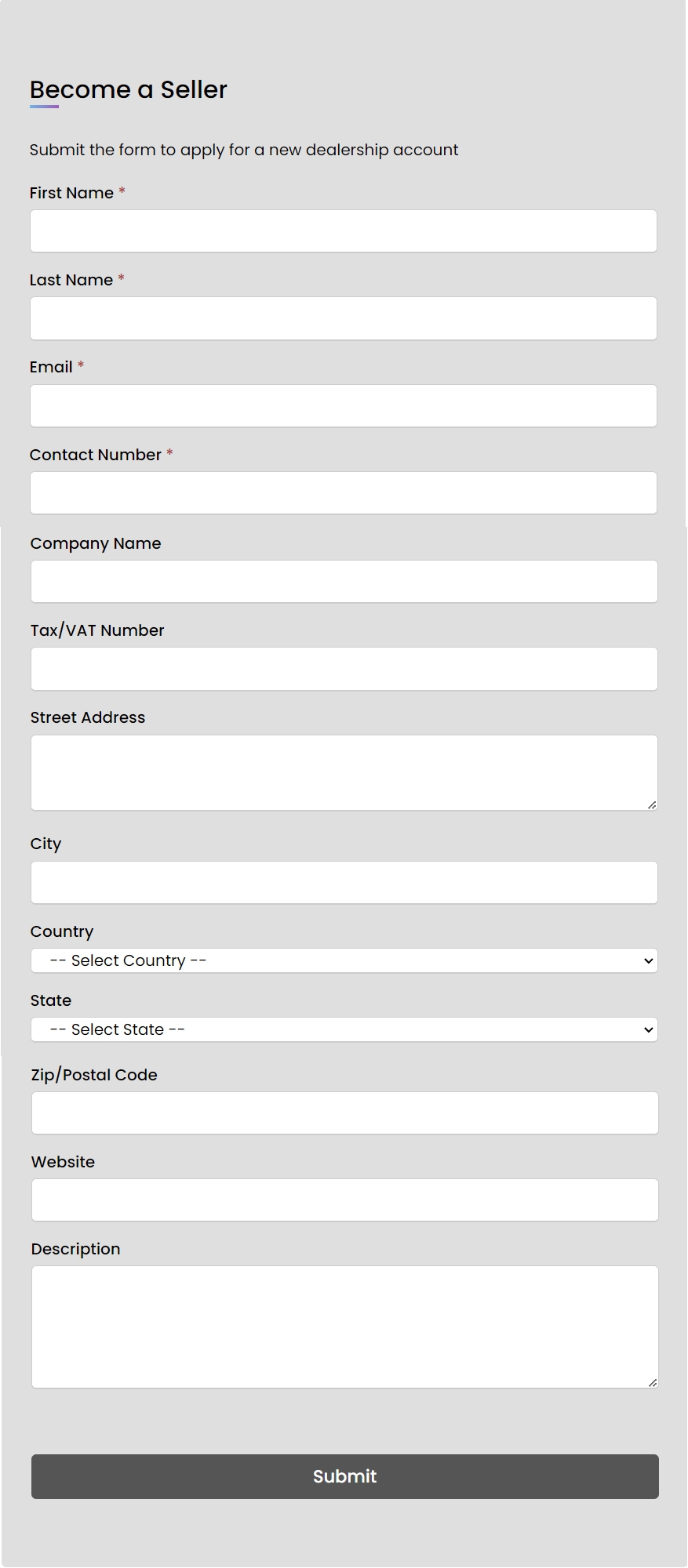
Frontend View
Once installed, customers can submit dealer inquiries directly from your storefront.
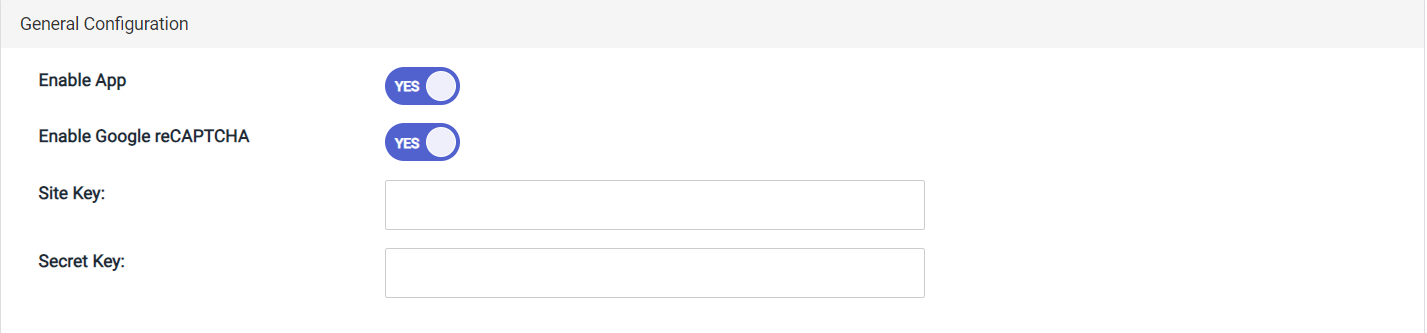
General Configuration
Go to Admin >> Apps >> T: Dealer Inquiry >> General Configuration
i. General Configuration
From here, you can manage Enable/Disable App and manage Google reCAPTCHA.
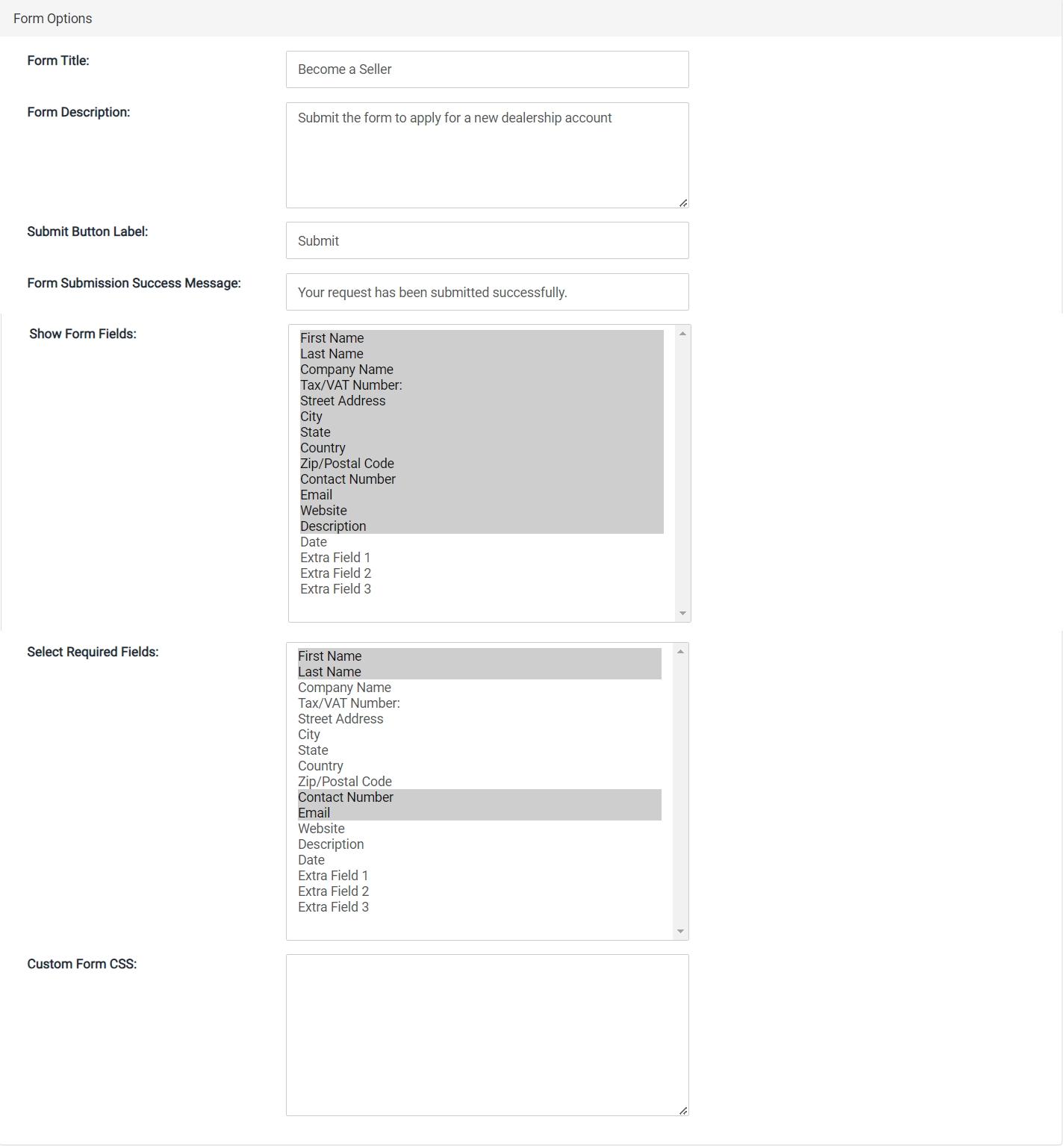
ii. Form Options
From here, you can fully customize form settings.
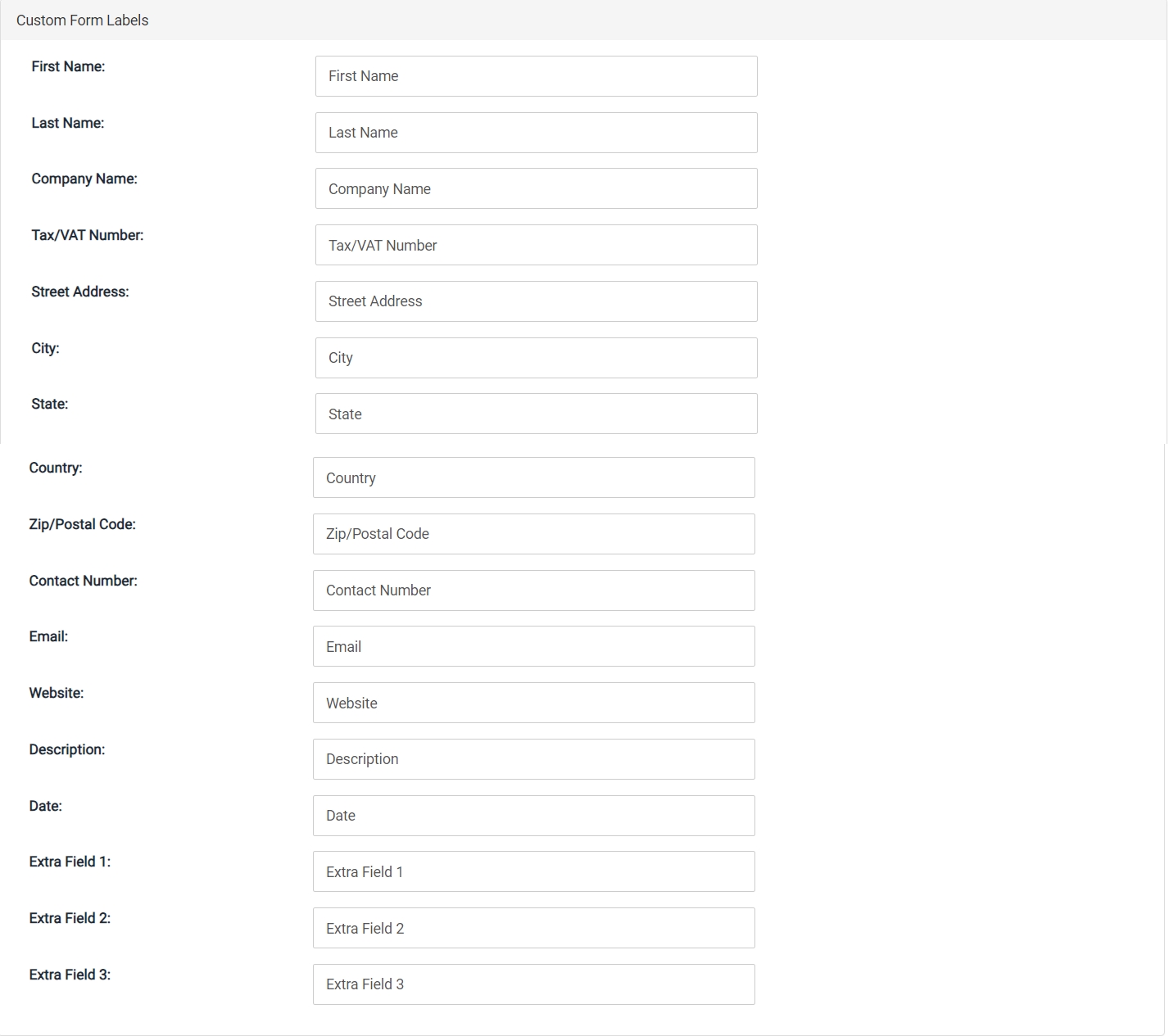
iii. Custom Form Labels
From here, you can configure all form fields labels.
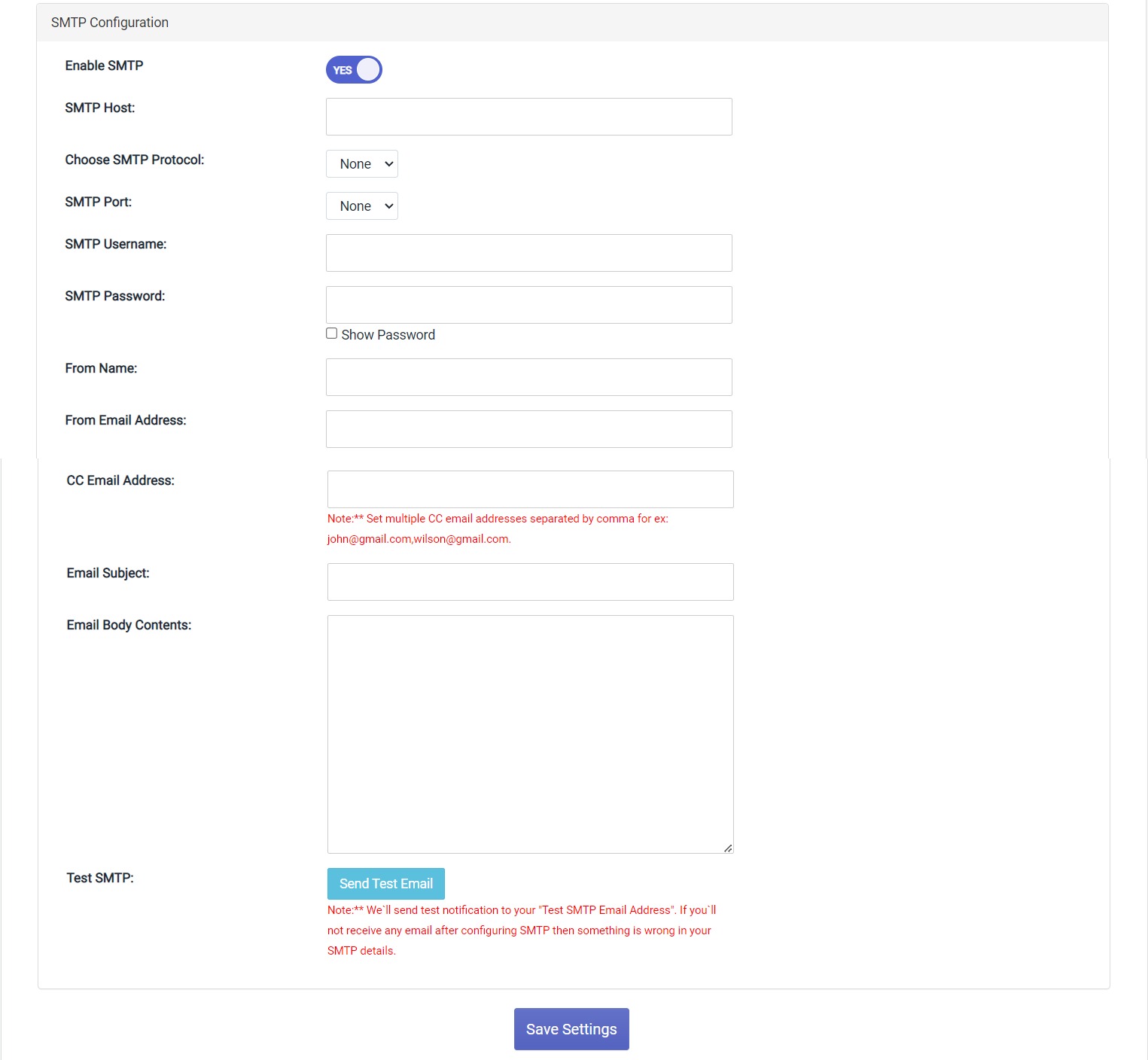
iv. SMTP Configuration
From here, you can configure email settings for customer email.
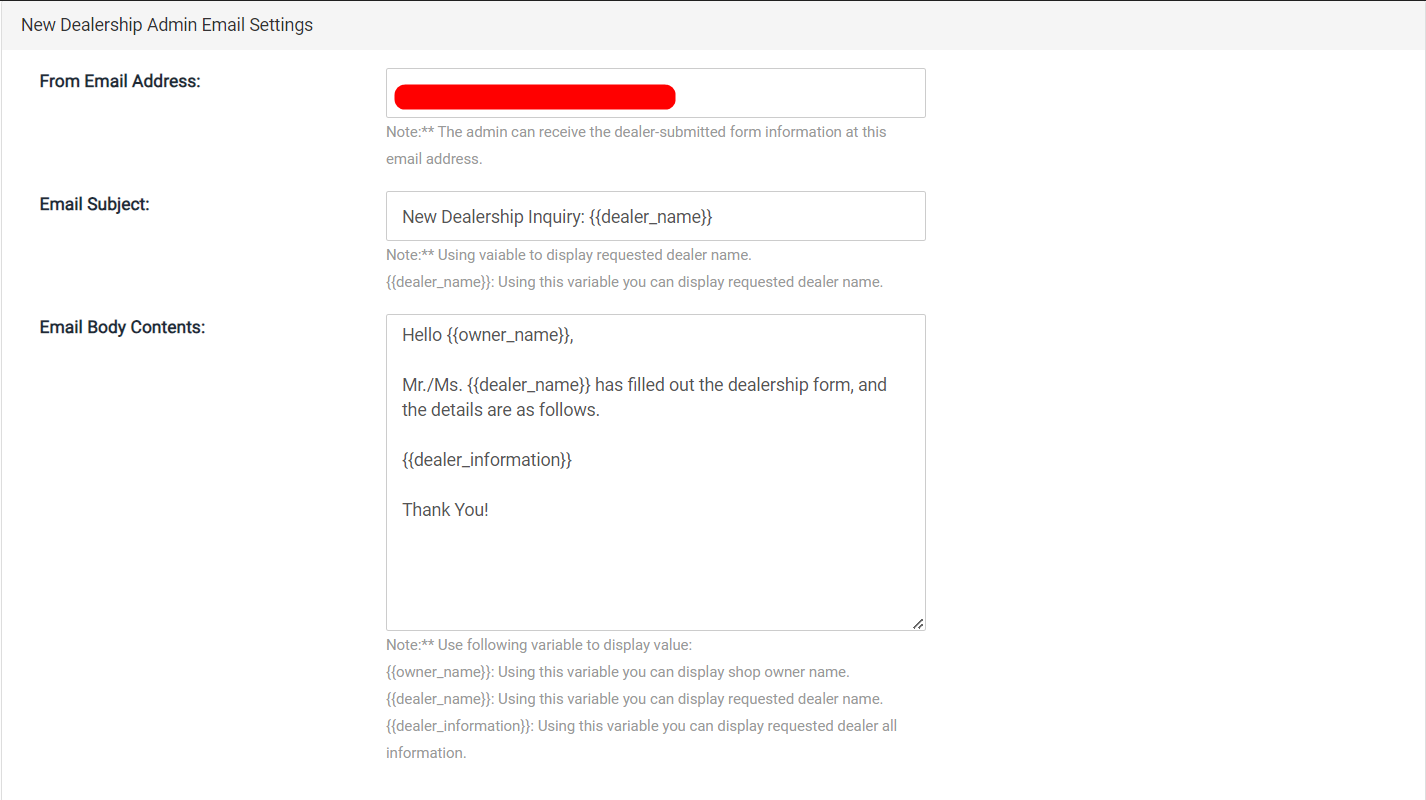
v. New Dealership Admin Email Settings
From here, you can configure the email settings specifically for handling new dealer requests sent to the admin email.
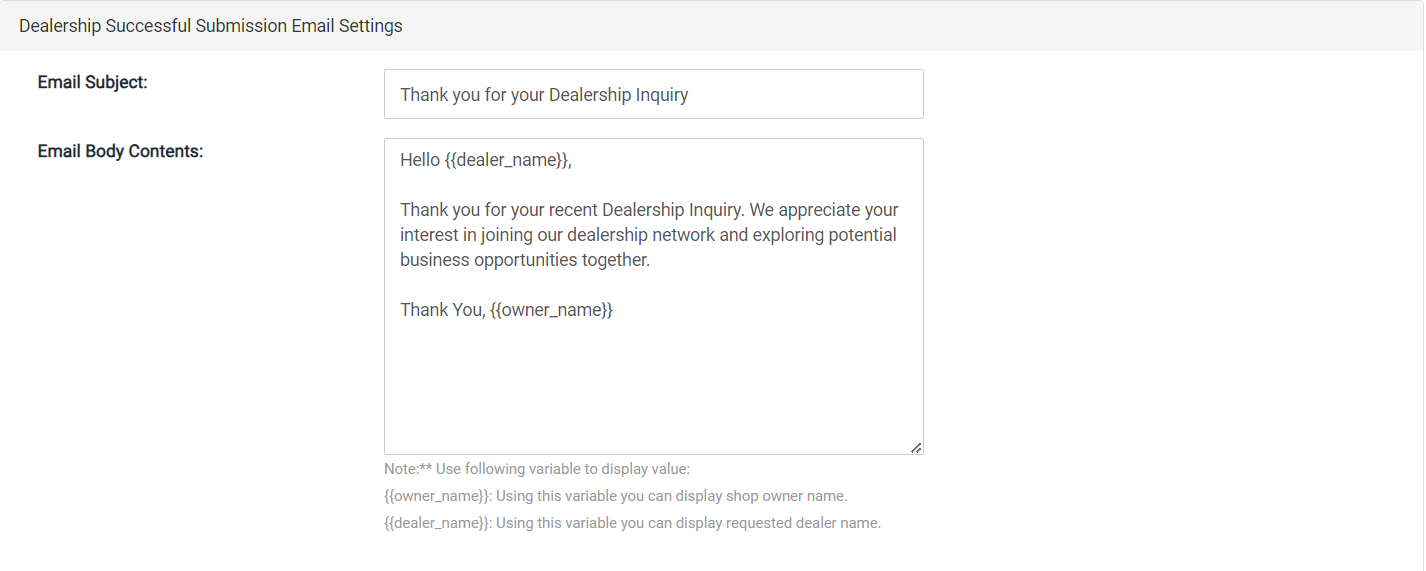
vi. Dealership Successful Submission Email Settings
From here, you can configure the email settings for the successful submission of dealer requests.
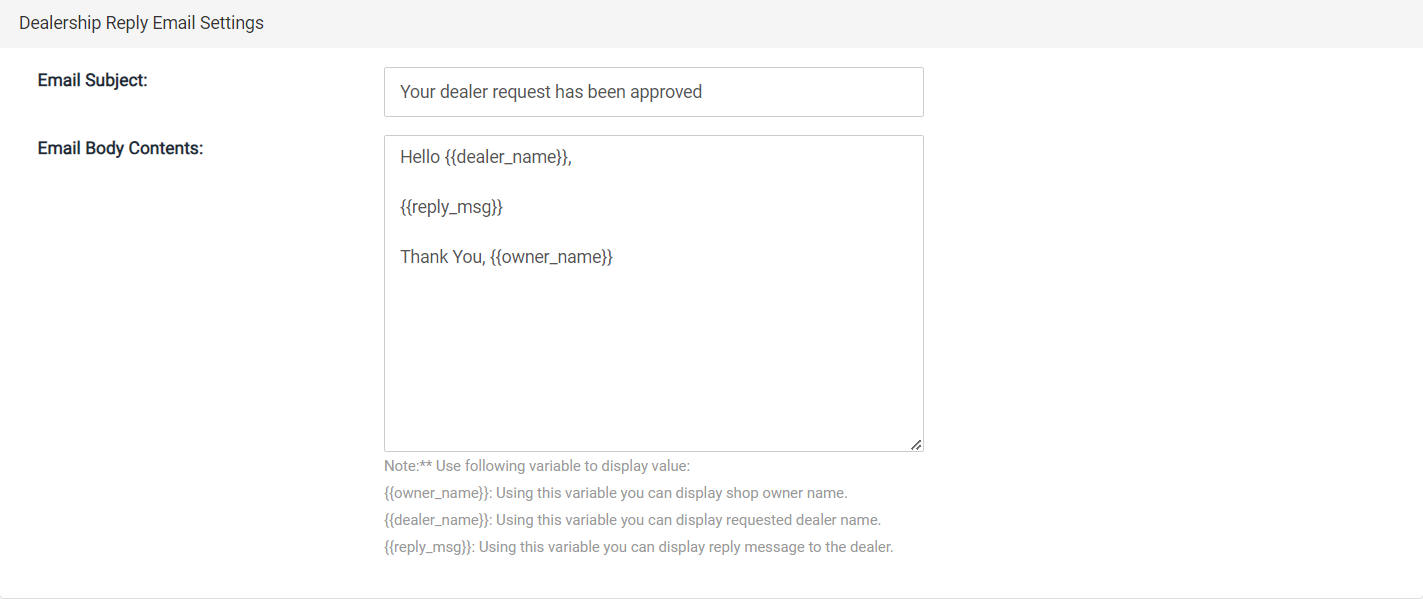
vii. Dealership Reply Email Settings
From here, you can configure the email settings for replying to dealer requests.
Dealer Requests
Go to Admin >> Apps >> T: Dealer Inquiry >> Dealer Requests
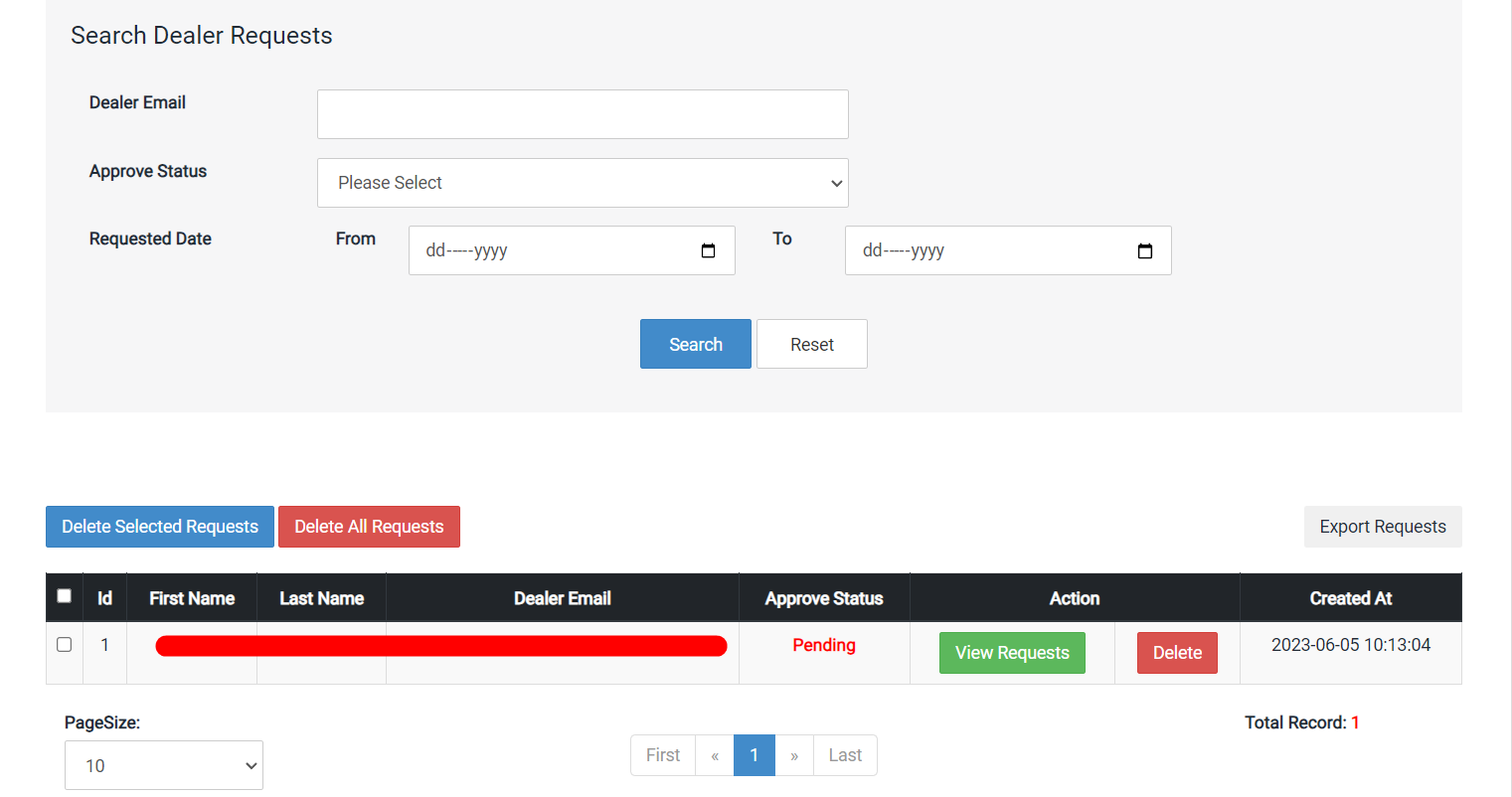
i. Dealer Requests
From here, you can manage all dealer requests.
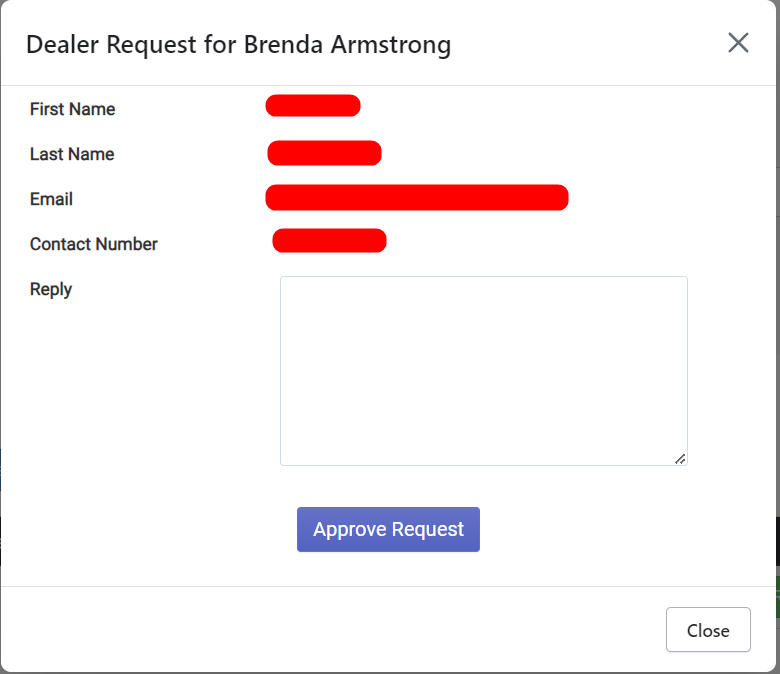
ii. View Request
From here, you can view all the information submitted by dealers in the popup modal. You can give reply to dealer and approve the dealership.
Design Customizations
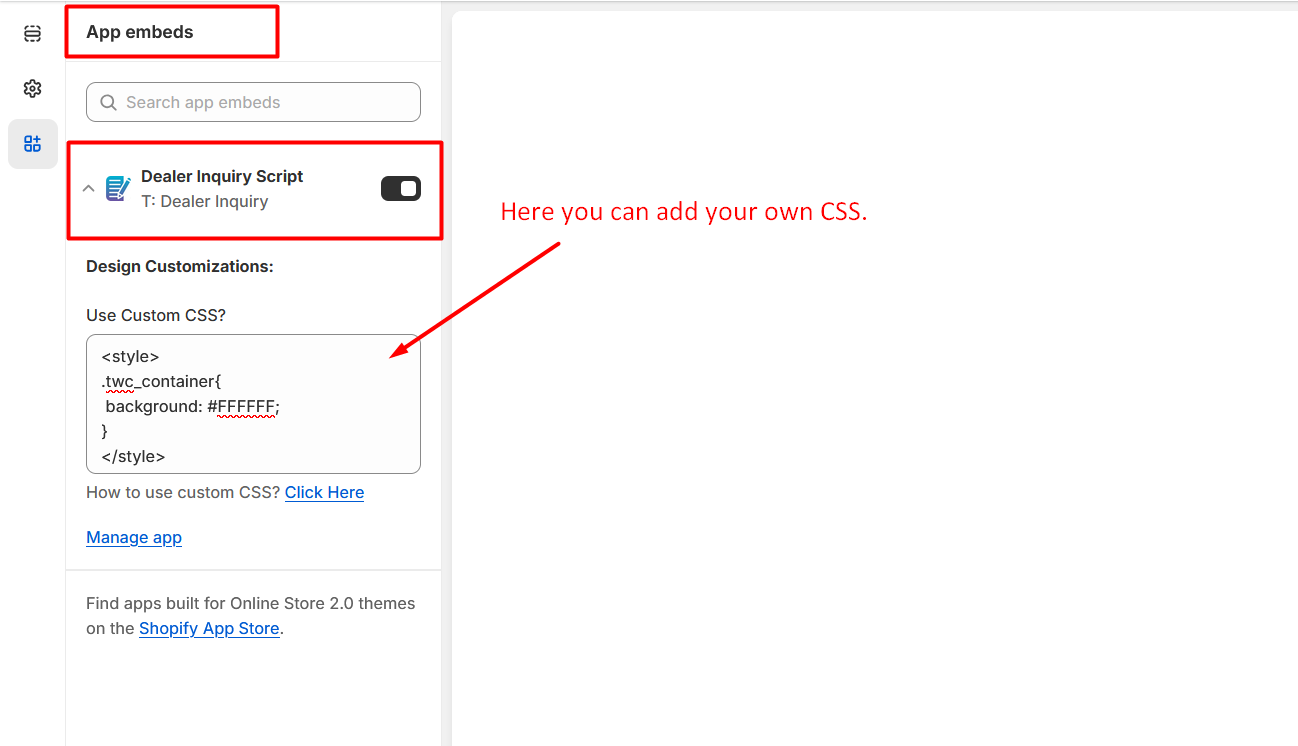
Go to Online Stores >> Live theme >> Theme Customize >> App embeds section then please open our App embed block i.e. Dealer Inquiry Script. Then you`ll see Design Customizations section just like below screenshot:
Here, you can enter your own CSS wrapped in style type tag.
Frequently Asked Questions
Find quick answers to common questions about the T: Dealer Inquiry App.
You can enable the form by going to Online Store > Themes > Customize. Enable the App embed for "Dealer Inquiry Script" and click Save. Make sure to configure the form fields from the App admin panel.
The app costs $2.00 USD per month. We also offer a 3-day free trial so you can test all features before being billed.
Yes, you can configure all email notifications including successful submissions, admin alerts, and reply emails via the General Configuration settings.
Go to the Dealer Requests section in the App admin, click on the view icon for the specific request, and you can reply and approve the dealership directly from the popup.
Privacy Policy
What kinds of information are collected by our App?
By granting the following App permissions upon installation, we can automatically access certain types of information:
- Read Themes: Upon installation of the app, it will automatically read app files in your online store's published theme.
- Read Orders & Write Orders: We utilize this permission to enable the functionality of canceling orders.
- Merchant Details: We are storing Merchant information in accordance with Shopify's requirements, which enables us to determine if the merchant has previously used our App.
What is our use of your personal information?
We only use the personal information collected from you for the purpose of delivering the service and running the App.
Contact Us
We are always here to help you. If you have any questions, face any issues, or need further assistance, please don't hesitate to reach out.
- Email: info@techwebcreation.com
- Website: techwebcreation.com